

USB-C vs Lightning vs USB-A: What's the Difference? (2026 Complete Guide)
Not all charging cables are created equal.
If you've ever wondered why some devices use USB-C, others still use Lightning, and older accessories rely on USB-A, you're not alone. Understanding these connector types can help you charge faster, transfer data more efficiently, and choose accessories that will continue to work for years to come.
In this guide, we'll explain the differences between USB-C, Lightning and USB-A in simple terms, compare their charging capabilities, data transfer speeds and compatibility, and help you decide which connector is best for your devices in 2026.
Key Takeaways
- USB-C is the modern universal connector used by most new phones, tablets and laptops.
- Lightning is Apple's older proprietary connector that is gradually being replaced by USB-C.
- USB-A remains common on older chargers, computers and accessories but offers fewer capabilities.
- USB-C supports the fastest charging, highest data transfer speeds and advanced features like video output.
- The right charger and cable are just as important as the connector itself for achieving maximum performance.
Contents
- The Evolution of USB Connectors
- What is USB-A?
- What is Lightning?
- What is USB-C?
- USB-C vs Lightning vs USB-A Comparison
- Charging Speed Comparison
- Data Transfer Comparison
- Video Output Explained
- Which Devices Use Each Connector?
- Why USB-C Became the New Standard
- Which Cable Should You Buy?
- Frequently Asked Questions
Why There Are So Many Different Charging Connectors
For decades, every new generation of electronic devices seemed to introduce another charging connector. Older computers commonly used large rectangular USB-A ports, smartphones adopted Micro-USB, Apple introduced its own Lightning connector, and today USB-C has become the preferred standard across almost every major technology manufacturer.
These connectors may look different, but they also vary significantly in charging performance, data transfer speeds, durability and supported features. Choosing the wrong cable can result in slower charging, reduced performance or incompatibility with your devices.
Fortunately, the industry has largely united behind USB-C, making it easier than ever to use a single charger for your phone, tablet, laptop, gaming console and many other devices.
Understanding why USB-C became the universal standard will help you make smarter purchasing decisions and future-proof your technology investments.
"USB-C isn't simply a new connector—it's a complete platform designed to deliver faster charging, higher-speed data transfer, video output and universal compatibility through a single cable."

The Evolution of USB Connectors
Today's USB-C connector didn't appear overnight. Over the past three decades, charging and data transfer standards have evolved dramatically as our devices became smaller, faster and more powerful.
The earliest USB connectors were designed primarily for connecting keyboards, mice and printers to desktop computers. As smartphones, tablets and laptops became more advanced, manufacturers needed connectors capable of delivering significantly more power, transferring larger files and even carrying high-resolution video through a single cable.
The result was USB-C—a universal connector that has largely replaced previous standards and is now used across smartphones, laptops, tablets, gaming devices and countless accessories.
| Year | Connector | Primary Use | Current Status |
|---|---|---|---|
| 1996 | USB-A | Computers & Accessories | Still widely used |
| 2007 | Micro-USB | Android phones | Being phased out |
| 2012 | Lightning | Apple iPhone & iPad | Being replaced by USB-C |
| 2014+ | USB-C | Universal charging & data | Current global standard |
Today, nearly every major electronics manufacturer—including Apple, Samsung, Google, Dell, Lenovo, HP and Nintendo—has adopted USB-C as the preferred connector for new products.
What is USB-A?
USB-A is the original rectangular USB connector that most people recognise. Introduced in the mid-1990s, it became the standard port found on desktop computers, laptops, televisions, gaming consoles and wall chargers for many years.
Although USB-A remains extremely common, its design reflects an earlier generation of technology. It was never intended to support today's ultra-fast charging standards or extremely high-speed data transfers.
Unlike USB-C, USB-A can only be inserted in one direction, making it one of the most commonly frustrated experiences when plugging in a cable.
Advantages
- Extremely common on older computers and chargers
- Affordable cables and accessories
- Excellent compatibility with legacy devices
- Reliable for everyday peripherals
Limitations
- Not reversible
- Limited charging performance
- Limited data speeds on older versions
- No native support for modern USB Power Delivery
- Cannot efficiently power modern laptops
Many USB-A chargers are still capable of charging modern phones when paired with the correct cable, but they generally charge much slower than USB-C chargers supporting USB Power Delivery.
What is Apple's Lightning Connector?
Apple introduced the Lightning connector in 2012 with the iPhone 5. At the time, it represented a significant improvement over the older 30-pin connector thanks to its smaller size and reversible design.
For more than a decade, Lightning powered millions of iPhones, AirPods, accessories and several generations of iPads.
While Lightning remains reliable, technology has advanced considerably. USB-C now supports much faster charging, dramatically higher data transfer speeds and universal compatibility across nearly every major device category.
As a result, Apple has transitioned its newest iPhones, iPads and Macs to USB-C, bringing them in line with the wider technology industry.
Advantages
- Compact reversible connector
- Reliable for Apple devices
- Durable design
- Large accessory ecosystem
Limitations
- Apple proprietary connector
- Lower maximum data transfer than USB-C
- Cannot support the full range of USB-C capabilities
- Requires separate cables for non-Apple devices
Beginning with the iPhone 15 series, Apple adopted USB-C for all new iPhones sold globally, making USB-C the future of charging across Apple's product ecosystem.
What is USB-C?
USB-C is the latest generation of USB connector and has quickly become the global standard for charging, data transfer and video output.
Unlike previous connectors, USB-C is more than simply a plug shape. It is part of an entire technology platform capable of supporting USB Power Delivery (USB PD), Programmable Power Supply (PPS), DisplayPort, Thunderbolt, USB4 and power levels reaching up to 240 watts.
One USB-C cable can often replace multiple chargers by powering smartphones, tablets, laptops, gaming consoles, monitors and accessories from a single universal connector.
Why USB-C has become the global standard
- Reversible connector
- Fast charging up to 240W (USB PD 3.1)
- Supports high-speed data transfer
- Can transmit video and audio
- Works with phones, tablets and laptops
- Future-ready technology
Charging performance depends on three things working together:
- The charger
- The cable
- The device
If any one of these components doesn't support fast charging, overall charging speed will be limited.
For a deeper explanation of USB Power Delivery, PPS and fast charging technologies, read our How Fast Charging Really Works guide.
USB-C vs Lightning vs USB-A: Side-by-Side Comparison
Although these connectors may appear similar at first glance, they were designed for different generations of technology. Their capabilities vary significantly in charging performance, data transfer speeds, video support and long-term compatibility.
The comparison below highlights the most important differences between USB-C, Lightning and USB-A.
| Feature | USB-C | Lightning | USB-A |
|---|---|---|---|
| Connector Type | Reversible | Reversible | One-way only |
| Maximum Charging | Up to 240W* | Typically 20–30W | Usually under 18W |
| Fast Charging | Excellent | Good | Limited |
| Data Speed | Up to 80Gbps** | Typically USB 2.0 | Depends on USB version |
| Video Output | Yes | Limited | Usually No |
| Universal | Yes | Apple Only | Legacy Devices |
| Future Ready | ★★★★★ | ★★☆☆☆ | ★☆☆☆☆ |
*USB PD 3.1 Extended Power Range compatible hardware required.
**Maximum speeds depend on the USB specification, cable and connected devices.
YOUR_CHARGING_SPEED_COMPARISON_DIAGRAM
Charging Speed Comparison
One of the biggest differences between modern connectors is the amount of power they can safely deliver.
While connector shape matters, charging speed is determined by the combination of the connector, charger, cable and charging protocol. USB-C supports the latest USB Power Delivery (USB PD) and Programmable Power Supply (PPS) standards, enabling significantly faster charging than older technologies.
Typical Charging Performance
- USB-A: 5–18W
- Lightning: Up to approximately 20–30W depending on the device
- USB-C: 20W, 45W, 65W, 100W, 140W and up to 240W with USB PD 3.1
For smartphones, USB-C generally delivers the fastest charging experience, while also supporting laptops, tablets and high-performance devices using the same connector.

Data Transfer Speed Comparison
Charging isn't the only reason USB-C has become the preferred connector. Modern USB-C cables can move enormous amounts of data, making them suitable for external SSDs, professional cameras, high-resolution video editing and workstation environments.
| Connector | Typical Maximum Speed | Ideal For |
|---|---|---|
| USB-A | Up to 10Gbps* | Flash drives, peripherals |
| Lightning | 480Mbps (most devices) | Photos, backups |
| USB-C | Up to 80Gbps** | Professional workflows, storage, displays |
Actual transfer speeds depend on the USB version supported by both the cable and connected devices.
YOUR_VIDEO_OUTPUT_DIAGRAM
Can These Connectors Output Video?
USB-C is much more than a charging connector. Many USB-C ports also support DisplayPort Alt Mode, HDMI (with compatible adapters) and Thunderbolt, allowing a single cable to carry power, video and data simultaneously.
This makes USB-C ideal for connecting monitors, docking stations and external displays while charging your laptop or tablet.
Video Capability Summary
- USB-C → Supports external displays, monitors and docking stations (where supported).
- Lightning → Limited display support using Apple adapters.
- USB-A → Designed primarily for data and power, not native video output.

Which Devices Use Each Connector?
Although USB-C has become the dominant standard, millions of devices still rely on Lightning and USB-A. Knowing which connector your devices use helps avoid buying the wrong cable.
| Connector | Common Devices |
|---|---|
| USB-C | Android phones, iPhone 15 and newer, iPads, MacBooks, Windows laptops, Nintendo Switch, Steam Deck, power banks, monitors and SSDs. |
| Lightning | Older iPhones, older iPads, AirPods charging cases and Apple accessories. |
| USB-A | Desktop computers, televisions, gaming consoles, printers, older chargers and countless accessories. |
For most people purchasing new technology in 2026, USB-C is the connector that offers the greatest flexibility, performance and long-term compatibility.
Recommended BIG+ Products
To get the best performance from USB-C devices, pair them with high-quality charging accessories designed to support modern charging standards.
Need help understanding fast charging technologies like USB Power Delivery and PPS? Continue reading our complete Fast Charging Guide for a detailed explanation of how modern chargers communicate with your devices.
YOUR_USB_BUYING_GUIDE_DECISION_TREE
Why USB-C Became the New Global Standard
USB-C wasn't created simply to replace older connectors—it was designed to eliminate the need for multiple cables altogether.
Instead of carrying separate chargers for your smartphone, tablet, laptop, headphones and gaming console, one USB-C charger and cable can now power nearly all of them.
Governments, manufacturers and industry organisations have embraced USB-C because it reduces electronic waste, improves compatibility and provides enough performance to support future technologies.
Benefits of USB-C
- One cable for multiple devices
- Supports extremely fast charging
- High-speed data transfer
- Video and audio through one connector
- Smaller and reversible design
- Reduced electronic waste
- Future-ready technology
Should You Replace Your Old Charging Cables?
Not necessarily.
If your existing cables still meet your needs, there's no urgency to replace them. However, if you've recently purchased a new phone, tablet or laptop with USB-C, upgrading to quality USB-C accessories can significantly improve charging speed, convenience and compatibility.
Replacing worn or damaged cables is also important for safety. Frayed insulation, loose connectors and poor-quality cables may reduce charging performance and can increase the risk of overheating.
- Your new device uses USB-C
- You want faster charging
- You need higher-speed data transfer
- Your existing cables are damaged
- You want one cable for multiple devices
How to Choose the Right Charging Cable
Choosing the correct cable depends on more than just the connector. Consider your devices, charging requirements and intended use before purchasing.
| If You Need... | Choose... |
|---|---|
| Fast phone charging | USB-C cable with USB Power Delivery support |
| Laptop charging | 100W–240W USB-C cable |
| External monitor | USB-C cable supporting video output |
| Universal compatibility | Premium USB-C cable |
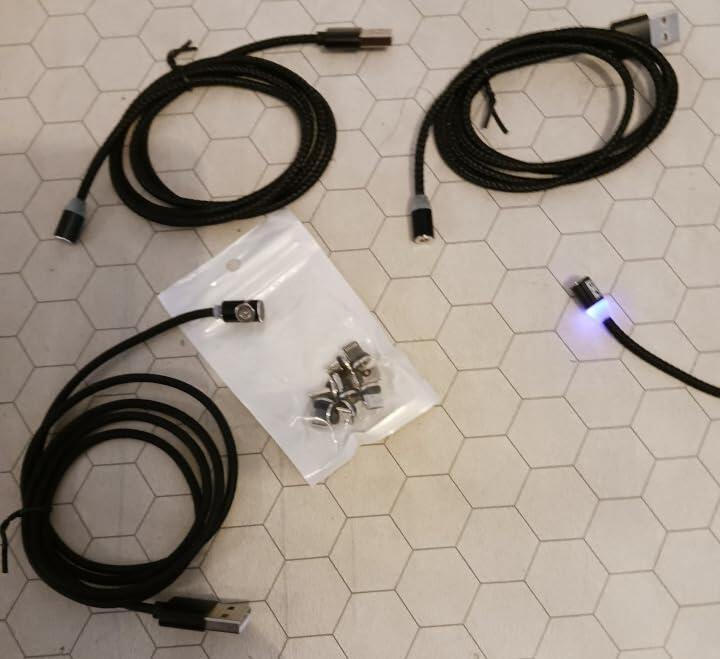
| Magnetic convenience | BIG+ Magnetic Charging Cable |
7 Common Mistakes When Buying Charging Cables
- Buying based only on connector shape.
- Assuming every USB-C cable performs the same.
- Ignoring charging wattage.
- Using very old USB-A chargers with new devices.
- Buying poor-quality cables without safety certifications.
- Overlooking data transfer requirements.
- Choosing price over reliability.
A quality cable may cost slightly more upfront but often lasts considerably longer while delivering safer and more consistent performance.
Common Myths About USB Charging
| Myth | Reality |
|---|---|
| USB-C always charges faster. | Only when the charger, cable and device all support fast charging. |
| More watts damages batteries. | Devices only draw the power they require. |
| All USB-C cables are identical. | Capabilities vary dramatically between cables. |
| Lightning is faster than USB-C. | Modern USB-C significantly exceeds Lightning capabilities. |
| Cheap cables perform the same. | Build quality directly affects safety, durability and performance. |
Frequently Asked Questions
Is USB-C replacing Lightning?
Yes. Apple has transitioned its latest iPhones and many other products to USB-C.
Is USB-C replacing USB-A?
USB-A remains common on existing computers and chargers, but USB-C is the long-term replacement for most new devices.
Can USB-C charge laptops?
Yes. Many modern laptops charge entirely through USB-C using USB Power Delivery.
Can one USB-C charger charge multiple devices?
Yes. A compatible USB-C charger can often power smartphones, tablets, laptops, headphones and gaming devices.
Does every USB-C cable support fast charging?
No. Charging speed depends on the cable's specifications as well as the charger and device.
Which connector is the most future-proof?
USB-C offers the widest compatibility and supports the latest charging, data and video technologies.
Upgrade to Smarter Charging with BIG+
Whether you're replacing older Lightning or USB-A cables or building a complete USB-C ecosystem, BIG+ offers premium charging accessories designed for speed, safety and everyday reliability.
- ✓ USB-C Power Delivery Compatible
- ✓ Up to 240W Fast Charging
- ✓ Durable Braided Construction
- ✓ Magnetic Charging Options
- ✓ Compatible with Phones, Tablets & Laptops
References & Further Reading
The information in this guide is based on publicly available technical specifications and industry documentation from recognised organisations and manufacturers.
- USB Implementers Forum (USB-IF) – USB Type-C® Specification
- USB Power Delivery Specification (USB PD 3.1)
- USB4® Specification
- Apple Support Documentation
- Samsung Fast Charging Documentation
- Intel Thunderbolt Documentation
- DisplayPort Alt Mode Specification
- IEC & USB-C safety recommendations
About This Guide
This educational guide was written to help consumers better understand modern charging technologies and make informed purchasing decisions.
Content has been researched using official USB specifications, manufacturer documentation and current industry best practices.
This article was independently reviewed for technical accuracy by the BIG+ Technical Team.
Last reviewed: July 2026
Continue Learning
USB-C Compatibility Guide
Learn which USB-C cables work with phones, tablets, laptops and gaming devices.
Coming SoonHow Fast Charging Really Works
Understand USB Power Delivery, PPS and modern charging technology.
Coming SoonMagnetic Charging Cables Explained
Discover how magnetic charging works and whether it's right for you.
Coming SoonGaN Chargers Explained
Learn why Gallium Nitride chargers are smaller, cooler and more efficient.
Coming Soon
0 comments