Fast charging has transformed the way we power our devices. A modern smartphone can now reach 50% battery in around 30 minutes, while many laptops can gain hours of battery life during a short coffee break.
Despite becoming a standard feature on modern devices, fast charging is still widely misunderstood.
Many people assume that buying a larger charger automatically makes every device charge faster, or that high-wattage chargers damage batteries. Others believe every USB-C cable supports the same charging speeds.
In reality, modern charging systems are far more intelligent.
Today's smartphones, tablets and laptops constantly communicate with their chargers to determine exactly how much power can be delivered safely. Technologies such as USB Power Delivery (USB PD), Programmable Power Supply (PPS) and advanced battery management work together to maximise charging speed while protecting battery health.
This guide explains how fast charging actually works, why different devices charge at different speeds and how to choose chargers and cables that deliver the best performance.
At BIG+, we design charging accessories that support the latest USB Power Delivery standards, ensuring reliable charging across smartphones, tablets, laptops and other USB-C devices.
Contents
- What Is Fast Charging?
- Why Charging Speed Matters
- How Electricity Charges a Battery
- Volts, Amps & Watts Explained
- Understanding USB Power Delivery
- What Is PPS?
- Qualcomm Quick Charge
- Apple Fast Charging
- Samsung Super Fast Charging
- What Are GaN Chargers?
- Fast Charging Myths
- Frequently Asked Questions
What Is Fast Charging?
Fast charging is any charging technology that delivers more power than standard USB charging. Instead of supplying a fixed amount of electricity, modern fast-charging systems intelligently negotiate the highest safe charging speed between the charger, cable and connected device.

Traditional USB chargers delivered a fixed amount of power regardless of what device was connected.
Modern charging systems work very differently.
When you plug a USB-C device into a compatible charger, both devices immediately begin exchanging information. The charger asks what the device supports, while the device reports the maximum voltage and current it can safely accept.
Only after this negotiation is complete does charging begin.
This intelligent communication allows one USB-C charger to safely charge everything from wireless earbuds to high-performance gaming laptops without risking damage.
Fast charging therefore isn't simply about supplying more electricity. It's about supplying the right amount of power at the right time.
Why Charging Speed Matters
The average person now relies on multiple rechargeable devices every day, including smartphones, tablets, laptops, smartwatches, wireless earbuds and portable gaming consoles.
As batteries become larger and devices become more powerful, charging efficiency becomes increasingly important.
Modern fast charging provides several significant advantages:
- Less time waiting for devices to recharge.
- Greater productivity while travelling.
- Improved convenience for busy lifestyles.
- Fewer chargers required when using USB-C Power Delivery.
- Safer charging through intelligent power negotiation.
- Better compatibility across modern USB-C devices.
For example, a modern smartphone connected to a USB Power Delivery charger may recover several hours of battery life in the time it takes to enjoy a coffee, while many USB-C laptops can gain enough charge for an afternoon of work during a short meeting.
A charger does not force power into your device. Your phone, tablet or laptop continuously controls how much power it accepts, helping protect the battery while charging as quickly as conditions allow.
Understanding this principle is the key to understanding every modern charging technology discussed throughout this guide.
How Electricity Charges a Battery
Fast charging doesn't simply push electricity into a battery. Modern devices carefully control how much voltage and current they accept, continuously adjusting the charging process to maximise speed while protecting battery health.

Every rechargeable smartphone, tablet and laptop contains a lithium-ion battery controlled by an internal Battery Management System (BMS). This intelligent controller constantly monitors battery voltage, temperature, charging current and state of charge.
Rather than accepting unlimited power, the battery tells the charger exactly how much energy it can safely receive at any given moment.
During the first stage of charging, the battery can safely accept higher levels of power. As it approaches full capacity, charging gradually slows to minimise heat generation and reduce long-term battery wear.
This process explains why many manufacturers advertise figures such as "50% charge in 30 minutes" rather than promising that a phone will reach 100% equally quickly.
Fast charging is fastest when your battery is low. Charging naturally slows as the battery approaches full capacity because the device is protecting the battery from unnecessary stress.
Understanding Volts, Amps and Watts
To understand fast charging, it's important to understand the three measurements that determine how electrical power is delivered.

Voltage (V)
Voltage is the electrical pressure that pushes energy through the cable.
Think of voltage as the pressure inside a garden hose. Higher pressure can move more water, but only if the hose is designed to handle it.
Common USB Power Delivery voltages include:
- 5V
- 9V
- 15V
- 20V
- 28V
- 36V
- 48V
Current (Amps or A)
Current measures how much electricity is flowing through the cable.
Using the garden hose analogy, current is similar to the volume of water flowing through the hose.
Higher current generally allows more energy to reach the battery, provided the cable and charger are designed to support it safely.
Power (Watts or W)
Power is the total amount of energy delivered every second.
Power is calculated using a simple formula:
Power (Watts) = Voltage × Current
For example:
| Voltage | Current | Total Power |
|---|---|---|
| 5V | 2A | 10W |
| 9V | 3A | 27W |
| 20V | 5A | 100W |
| 48V | 5A | 240W |
Modern USB Power Delivery uses different combinations of voltage and current to safely achieve higher charging speeds across different devices.
Why Higher Wattage Doesn't Damage Your Device
A 100W or 240W charger does not force that amount of power into every device. Your device decides how much power it will accept, while the charger simply makes that power available if requested.
This is one of the biggest misconceptions surrounding fast charging.
Imagine connecting a modern 240W USB-C charger to a pair of wireless earbuds.
The charger is capable of supplying up to 240 watts, but the earbuds may only request around 5 watts. Because the charger and device communicate before charging begins, only the requested amount of power is delivered.
The same charger could then be connected to a gaming laptop, where the laptop requests substantially more power to operate and recharge its much larger battery.
This intelligent negotiation is one of the biggest advantages of USB Power Delivery and explains why a single charger can safely power many different devices.
| Device | Typical Charging Power |
|---|---|
| Wireless Earbuds | 5W |
| Smartphone | 20–45W |
| Tablet | 30–45W |
| Ultrabook | 65–100W |
| MacBook Pro | 96–140W |
| Gaming Laptop | 140–240W |
Buying a higher-powered USB-C charger today can reduce the number of chargers you own. One quality charger may safely power your earbuds, smartphone, tablet and laptop while remaining compatible with future devices.
Now that we've covered the electrical principles behind fast charging, the next step is understanding the technology that makes it possible: USB Power Delivery (USB PD).
Understanding USB Power Delivery (USB PD)
USB Power Delivery (USB PD) is the global fast-charging standard for USB-C devices. It allows chargers and devices to communicate, automatically selecting the safest and fastest charging speed supported by both.

USB Power Delivery represents one of the biggest improvements ever made to USB charging.
Older USB chargers simply supplied a fixed amount of power regardless of the connected device. Modern USB PD chargers are far more intelligent. Before significant power flows, the charger, cable and device exchange information to determine what is supported.
The charger advertises the power levels it can provide, while the device requests the level it needs. If the cable is electronically marked (E-Marker) for higher power, the charger can safely deliver greater wattage.
This negotiation happens in milliseconds and continues throughout charging as battery conditions change.
Benefits of USB Power Delivery
- Faster charging speeds.
- Universal compatibility across manufacturers.
- One charger for multiple devices.
- Improved charging efficiency.
- Reduced heat generation.
- Better long-term battery protection.
- Support for charging up to 240W with USB PD 3.1.
USB Power Delivery has become the preferred charging standard for Android phones, iPads, MacBooks, Windows laptops, gaming handhelds, power banks and many modern accessories.
USB Power Delivery Versions
| Version | Maximum Power | Typical Devices |
|---|---|---|
| USB PD 2.0 | 100W | Phones and tablets |
| USB PD 3.0 | 100W | Laptops and premium accessories |
| USB PD 3.1 (EPR) | 240W | Gaming laptops and workstations |
USB PD 3.1 introduced Extended Power Range (EPR), allowing certified USB-C cables to safely deliver up to 240 watts.
What Is PPS (Programmable Power Supply)?
Programmable Power Supply (PPS) is an advanced USB Power Delivery feature that allows voltage to change in tiny increments rather than fixed steps, improving charging efficiency and reducing heat.

Traditional USB Power Delivery switches between preset voltages such as 5V, 9V, 15V and 20V.
PPS improves on this by allowing the charger to adjust voltage in very small increments. This enables the charger to deliver only the amount of energy required at that exact moment.
The result is:
- Lower charging temperatures.
- Improved charging efficiency.
- Less wasted energy.
- Reduced stress on the battery.
- Potentially longer battery lifespan.
Many flagship Android smartphones use PPS to achieve their fastest charging speeds.
Qualcomm Quick Charge
Before USB Power Delivery became the universal standard, many Android manufacturers relied on Qualcomm Quick Charge technology.
Quick Charge increases charging speed by raising voltage and intelligently managing power delivery between compatible devices.
| Technology | Typical Devices | Status |
|---|---|---|
| Quick Charge 3 | Older Android phones | Still supported |
| Quick Charge 4 / 4+ | Premium Android devices | USB PD Compatible |
| Quick Charge 5 | Latest Snapdragon devices | Supports USB PD & PPS |
Modern Quick Charge technologies increasingly work alongside USB Power Delivery rather than competing with it.
Apple Fast Charging
Apple adopted USB-C Power Delivery as its preferred fast-charging technology across iPhone, iPad and MacBook devices.
Recent iPhones can fast charge when paired with a compatible USB-C Power Delivery charger and an appropriate USB-C cable.
MacBooks also rely on USB Power Delivery, with larger MacBook Pro models requiring significantly higher charging power than iPhones or iPads.
Using an oversized USB-C charger with an iPhone will not damage the device. The iPhone only requests the amount of power it supports.
Samsung Super Fast Charging
Samsung's latest Galaxy smartphones support Super Fast Charging using USB Power Delivery with PPS.
Unlike older charging systems that relied on fixed voltage levels, Samsung devices benefit from PPS by continuously adjusting charging voltage to maximise efficiency.
For Samsung users to achieve the highest charging speeds, three components must all support the required standard:
- PPS-compatible charger.
- USB-C cable capable of the required power.
- Samsung device supporting Super Fast Charging.
If any one of these components lacks compatibility, charging will still work, but at a reduced speed.
Fast charging is not controlled by the charger alone. Charging performance depends on the charger, cable and device all supporting compatible technologies such as USB Power Delivery and PPS.
What Are GaN Chargers?
GaN (Gallium Nitride) chargers use modern semiconductor technology that is smaller, more efficient and produces less heat than traditional silicon chargers. This allows powerful chargers to be significantly smaller while maintaining excellent charging performance.

For many years, USB chargers relied on silicon transistors to convert household electricity into the low-voltage power required by smartphones, tablets and laptops.
Gallium Nitride (GaN) is a newer semiconductor material that performs this conversion much more efficiently.
Because GaN generates less heat during operation, manufacturers can build chargers that are:
- Smaller
- Lighter
- More energy efficient
- Capable of delivering higher power outputs
- Better suited for charging multiple devices simultaneously
Today, many premium USB-C chargers capable of delivering 65W, 100W or even higher outputs use GaN technology.
Why Heat Is the Biggest Enemy of Battery Health
Fast charging itself is not harmful. Excessive heat is the primary factor that accelerates battery ageing.
Many people believe fast charging damages batteries.
Modern lithium-ion batteries are specifically engineered to support rapid charging when used with compatible hardware.
The real concern is heat.
Excessive temperatures increase chemical wear inside the battery over time. For this reason, modern smartphones continuously monitor battery temperature and automatically reduce charging speed whenever additional cooling is required.
This intelligent charging behaviour explains why your phone may appear to charge more slowly on a hot summer afternoon than in a cool room.

How to Maximise Battery Life While Fast Charging
Modern charging technology already protects your battery remarkably well, but following a few best practices can further improve long-term battery health.
- Use certified USB Power Delivery chargers.
- Choose quality USB-C cables designed for your devices.
- Avoid extremely cheap, uncertified accessories.
- Keep your phone out of direct sunlight while charging.
- Remove thick protective cases if the device becomes unusually warm.
- Allow adequate ventilation around laptops during charging.
- Keep charging ports clean and free of dust.
- Replace damaged cables immediately.
You do not need to avoid fast charging to protect your battery. Modern devices automatically manage charging speed based on battery condition, temperature and remaining capacity.
Common Fast Charging Mistakes
Many charging problems are caused by simple misunderstandings rather than faulty devices.
| Myth | Reality |
|---|---|
| Higher wattage damages phones. | Your device only accepts the power it requests. |
| Every USB-C cable supports fast charging. | Cable quality and specifications matter. |
| Fast charging always harms batteries. | Heat, not charging speed itself, is the main concern. |
| Any charger delivers maximum speed. | The charger, cable and device must all support compatible standards. |
| All 100W cables are identical. | Construction quality, certification and durability vary considerably. |
Choosing the Right Charger and Cable
When purchasing charging accessories, focus on compatibility rather than simply buying the highest advertised wattage.
Look For
- USB Power Delivery support.
- PPS support if you own compatible Android devices.
- Certified 100W or 240W USB-C cables where appropriate.
- GaN chargers for improved efficiency.
- Reputable manufacturers with published specifications.
Avoid
- Unknown brands with unrealistic charging claims.
- Very cheap cables lacking published specifications.
- Damaged connectors or frayed cables.
- Chargers that become excessively hot during normal use.
Recommended BIG+ Charging Solutions
Whether you're charging a smartphone, tablet or laptop, using quality accessories ensures your devices receive reliable power while supporting the latest USB Power Delivery standards.
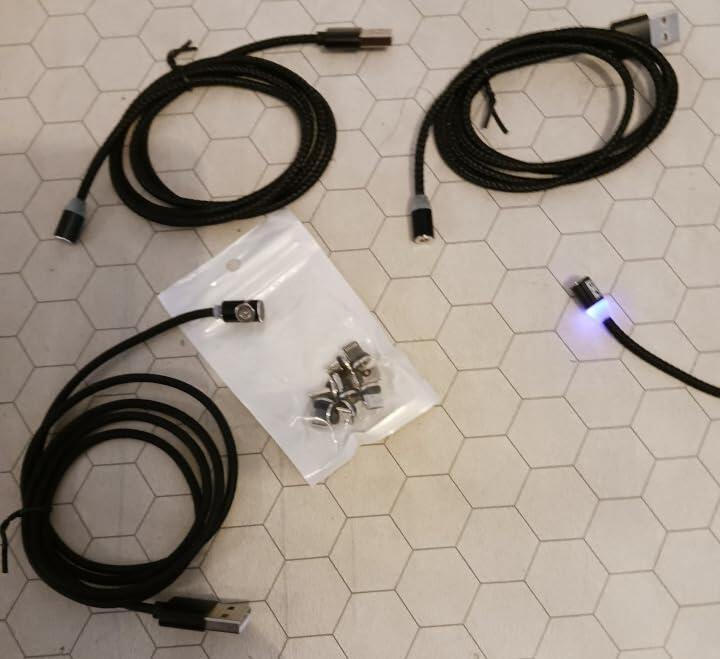
- BIG+ Magnetic Charging Cables
- BIG+ 100W USB-C Charging Cables
- BIG+ 240W USB-C Charging Cables
- BIG+ USB-C Magnetic Adapter Tips
- BIG+ USB-C Car Chargers
Premium charging accessories don't simply charge faster—they're engineered for improved durability, consistent performance and long-term reliability.
Key Takeaways
- Fast charging works through intelligent communication between your charger, cable and device.
- USB Power Delivery (USB PD) is the leading universal fast-charging standard for USB-C devices.
- PPS improves charging efficiency by adjusting voltage dynamically.
- Higher wattage chargers are safe because your device only draws the power it needs.
- Heat—not fast charging itself—is the biggest factor affecting long-term battery health.
- Quality chargers and certified USB-C cables deliver better performance, reliability and safety.
Frequently Asked Questions
Does a higher wattage charger damage my phone?
No. Modern USB-C devices negotiate charging power with the charger. A 100W or 240W charger will only supply the amount of power your phone requests.
Can I use one USB-C charger for all my devices?
In most cases, yes. A quality USB Power Delivery charger can safely charge smartphones, tablets, wireless earbuds, handheld gaming devices and many laptops. Each device automatically selects an appropriate charging profile.
Do I need a special USB-C cable for fast charging?
For higher charging speeds, especially 100W and 240W charging, you should use a USB-C cable designed and certified for those power levels. Lower-quality cables may reduce charging performance or lack support for advanced charging standards.
Why does my phone charge quickly to around 80% and then slow down?
This is normal. Lithium-ion batteries charge fastest when they are relatively empty. As the battery approaches full capacity, the charging system gradually reduces power to minimise heat and extend battery lifespan.
Is wireless charging as fast as USB-C charging?
Wireless charging has improved significantly, but USB-C charging generally delivers higher power, greater efficiency and shorter charging times. Wireless charging also produces more heat because energy is transferred through electromagnetic induction rather than a direct cable connection.
What is the difference between USB Power Delivery and Quick Charge?
USB Power Delivery (USB PD) is the universal charging standard supported across a wide range of devices and manufacturers. Qualcomm Quick Charge is a proprietary technology that originated on Snapdragon-powered Android devices. Newer Quick Charge versions are compatible with USB Power Delivery, making interoperability much better than in earlier generations.
Will a damaged charging cable slow charging?
Yes. Damaged or poor-quality cables can introduce additional electrical resistance, reducing charging efficiency and potentially causing intermittent charging. Replace any cable showing signs of fraying, bent connectors or unreliable performance.
Final Thoughts
Fast charging has evolved from a convenient feature into an essential part of modern technology. Thanks to USB Power Delivery, PPS and advances in charger design, a single USB-C charger can safely power everything from wireless earbuds to high-performance laptops.
Understanding how fast charging works helps you choose accessories that deliver the best combination of speed, compatibility and long-term reliability.
Rather than focusing only on charger wattage, consider the complete charging ecosystem. The charger, cable and device all play important roles in determining charging performance.
Investing in quality charging accessories ensures you enjoy faster charging today while remaining compatible with the next generation of USB-C devices.
Power Your Devices with Confidence
BIG+ designs premium USB-C charging accessories that combine durability, performance and broad compatibility. Whether you need magnetic charging solutions, high-power USB-C cables or everyday charging accessories, our products are built to support the latest USB Power Delivery standards.
Explore our collection of USB-C charging solutions and find accessories designed to keep your devices powered wherever life takes you.
Related Articles
- The Ultimate USB-C Compatibility Guide (2026)
- How to Choose the Best USB-C Cable
- USB-C vs Lightning: What's the Difference?
References
This guide is based on publicly available technical information from recognised industry organisations and manufacturer documentation, including:
- USB Implementers Forum (USB-IF) – USB Type-C® and USB Power Delivery specifications.
- Apple support documentation on USB-C charging and fast charging.
- Samsung documentation on Super Fast Charging and PPS compatibility.
- Qualcomm Quick Charge technical documentation.
Author: BIG+ Editorial Team
Reviewed: July 2026
This article is intended for educational purposes and reflects current USB-C charging standards at the time of publication. Charging performance varies depending on your charger, cable, device and environmental conditions.
0 comments