

USB-C has transformed the way we charge and connect our devices. Today, one connector powers smartphones, tablets, laptops, gaming consoles, portable monitors, cameras, headphones and countless accessories.
Yet one of the biggest misconceptions is that every USB-C cable is the same.
Two cables may look identical on the outside but deliver completely different performance. One may only support slow charging, while another can safely power a high-performance laptop. Some support ultra-fast data transfer, while others are designed only for charging.
Understanding these differences helps you buy the right cable the first time, avoid frustrating charging problems and protect your devices for years to come.
At BIG+, we specialise in premium charging accessories designed for everyday reliability, fast charging and long-term durability. This guide combines industry standards with practical advice to help you confidently choose the right USB-C cable for your devices.
Contents
- What Is USB-C?
- Why Did USB-C Replace Older Connectors?
- Which Devices Use USB-C?
- Understanding USB Power Delivery
- USB Power Delivery Versions
- What Is an E-Marker Chip?
- USB-C Compatibility Comparison
- How to Choose the Right USB-C Cable
- Frequently Asked Questions
What Is USB-C?
USB-C (USB Type-C) is a universal, reversible connector capable of carrying power, data, video and audio through a single cable. Depending on the cable and connected devices, USB-C can support charging up to 240W, high-speed data transfer and external display connectivity.

USB-C (also called USB Type-C) is the latest universal connector developed by the USB Implementers Forum (USB-IF).
Unlike previous USB connectors, USB-C was designed to be simpler, faster and more versatile. It enables a single cable to charge devices, transfer files at high speed and even connect external displays.
Key advantages include:
- Reversible connector that plugs in either direction
- Compact, durable design
- Supports significantly higher charging power
- Faster data transfer than previous USB standards
- Can carry power, video, audio and data simultaneously
Rather than carrying multiple chargers and cables, USB-C enables one connector to support almost every modern device.
Today USB-C is commonly found on:
- Android smartphones
- iPhone 15 and newer
- iPads
- MacBooks
- Windows laptops
- Steam Deck
- Nintendo Switch
- Wireless headphones
- Power banks
- Digital cameras
- Portable SSDs
- USB hubs and docking stations
- Portable monitors
Its flexibility and universal adoption have made USB-C the global standard for charging and connectivity.
Why Did USB-C Replace Older Connectors?
Before USB-C, consumers often needed different cables for different devices.
Common connector types included:
- USB-A
- Micro USB
- Mini USB
- Apple Lightning
- Proprietary charging connectors
Managing multiple chargers created unnecessary clutter and compatibility problems.
USB-C simplified this by providing a single connector capable of supporting virtually every modern charging requirement.
Benefits include:
- One cable for multiple devices
- Faster charging speeds
- Higher data transfer performance
- Reduced electronic waste
- Better long-term compatibility
- Smaller, stronger connector design
As manufacturers and governments continue moving towards universal charging standards, USB-C has become the preferred connector worldwide.
Which Devices Use USB-C?
USB-C is now used by nearly every major technology manufacturer. It powers smartphones, tablets, laptops, gaming devices, headphones, cameras, power banks and many other accessories.

Smartphones
Nearly every Android manufacturer now uses USB-C, including:
- Samsung Galaxy
- Google Pixel
- Motorola
- Nothing Phone
- OnePlus
- OPPO
- Xiaomi
- ASUS
Apple also transitioned the iPhone to USB-C beginning with the iPhone 15, making USB-C the common charging standard across most modern smartphones.
Tablets
USB-C has become the standard connector for modern tablets, including:
- iPad Pro
- iPad Air
- iPad mini
- Samsung Galaxy Tab
- Lenovo tablets
- Microsoft Surface
Laptops
Most premium laptops now charge using USB-C Power Delivery.
- MacBook Air
- MacBook Pro
- Dell XPS
- HP Spectre
- Lenovo ThinkPad
- ASUS Zenbook
- Acer Swift
- Microsoft Surface Laptop
Gaming Devices
- Nintendo Switch
- Steam Deck
- ASUS ROG Ally
- PlayStation Portal
Accessories
- Wireless earbuds
- Bluetooth speakers
- Portable SSDs
- DSLR cameras
- Action cameras
- Power banks
- Portable monitors
- USB docking stations
The list of USB-C compatible devices continues to grow each year, making it the most widely adopted connector in consumer electronics.
USB-C Doesn't Automatically Mean Fast Charging
A USB-C connector does not guarantee fast charging. Charging speed depends on the cable, charger and device all supporting the same charging standards.
One of the most common misconceptions is that every USB-C cable delivers the same charging performance.
"If it has a USB-C connector, it must support fast charging."
Unfortunately, that isn't true.
USB-C simply describes the physical connector. What determines charging speed is the technology built inside the cable and the capabilities of the charger and connected device.
Two USB-C cables may look identical but perform very differently. One may only support basic charging, while another can safely deliver enough power for a high-performance laptop.
Charging performance depends on several factors:
- Cable construction and wire gauge
- Maximum power rating (60W, 100W or 240W)
- USB Power Delivery support
- E-Marker chip certification
- Charger output capability
- Device compatibility
The entire charging system is only as strong as its weakest component.
Understanding USB Power Delivery (USB PD)
USB Power Delivery (USB PD) is the international fast-charging standard that allows USB-C devices to communicate with chargers and safely negotiate the fastest charging speed possible.

Unlike older charging technologies that supplied a fixed amount of power, USB Power Delivery continuously communicates between the charger and the connected device.
Instead of forcing maximum power into every device, USB PD intelligently supplies only the amount of power requested.
This provides several advantages:
- Faster charging
- Improved charging efficiency
- Lower operating temperatures
- Better battery protection
- Universal compatibility across manufacturers
- Support for everything from smartphones to gaming laptops
Today, one USB-C charger can often charge:
- Smartphones
- Tablets
- Wireless earbuds
- Power banks
- MacBooks
- Windows laptops
- Portable gaming devices
This flexibility is one of the reasons USB-C has become the preferred charging standard worldwide.
USB Power Delivery Versions
USB Power Delivery has evolved considerably over the years.
Each new version increases compatibility and supports higher charging power for modern devices.
| USB PD Version | Maximum Power | Typical Devices |
|---|---|---|
| USB PD 2.0 | Up to 100W | Phones and tablets |
| USB PD 3.0 | Up to 100W | Ultrabooks and most laptops |
| USB PD 3.1 (EPR) | Up to 240W | Gaming laptops, workstations and future USB-C devices |
USB PD 3.1 introduced Extended Power Range (EPR), allowing certified USB-C cables to safely deliver up to 240 watts.

Which Wattage Do You Need?
| Device | Recommended Cable |
|---|---|
| Smartphones | 60W or higher |
| Tablets | 100W |
| MacBook Air | 100W |
| MacBook Pro | 140W–240W |
| Gaming laptops | 240W USB PD 3.1 |
| Portable monitors | 100W–240W |
Choosing a higher-rated cable does not damage lower-powered devices. USB Power Delivery automatically limits charging to the amount requested by the connected device.
Why Some USB-C Cables Charge Faster Than Others
Charging speed depends on every component in the charging chain.
Consider this example:
- 100W USB-C charger
- Laptop capable of 100W charging
- 60W USB-C cable
Although both the charger and laptop support 100W, the cable becomes the limiting factor, reducing charging speed to 60W.
Replacing the cable with a certified 100W or 240W cable allows the laptop to charge at its intended speed.
- BIG+ 100W Magnetic Charging Cable — Ideal for smartphones, tablets, MacBook Air and everyday charging.
- BIG+ 240W Magnetic Charging Cable — Designed for MacBook Pro, gaming laptops, USB PD 3.1 devices and future-proof charging.
What Is an E-Marker Chip?
An E-Marker (Electronic Marker) is a tiny chip built into high-performance USB-C cables. It identifies the cable's capabilities and allows compatible devices to safely deliver higher charging power.
If you've researched premium USB-C cables, you've probably encountered the term E-Marker.
This small integrated circuit acts like the cable's digital identification card.
When connected, it tells compatible devices exactly what the cable supports, including:
- Maximum voltage
- Maximum current
- Maximum charging wattage
- USB Power Delivery compatibility
- Supported USB features
Without an E-Marker chip, USB specifications do not allow cables to safely deliver higher charging power such as 100W, 140W or 240W.
For anyone investing in a premium charging setup, choosing an E-Marker certified cable provides greater safety, reliability and long-term compatibility.
Can One USB-C Cable Charge Every Device?
In many cases, yes. A quality USB-C cable can charge multiple devices, but only if it supports the power requirements of each device. Higher-rated cables offer the greatest flexibility.
One of the biggest advantages of USB-C is reducing the number of chargers and cables you need every day.
Instead of carrying separate chargers for your phone, tablet and laptop, a single high-quality USB-C cable can often power them all.
However, compatibility depends on the cable's capabilities. Lower-powered cables may work perfectly for a smartphone but struggle with larger devices such as gaming laptops or portable monitors.
Choosing a premium USB-C cable provides greater flexibility today while helping to future-proof your charging setup as newer devices require more power.
USB-C Compatibility at a Glance

| Device | USB-C | Recommended Cable |
|---|---|---|
| Smartphones | ✔ | 60W |
| Tablets | ✔ | 100W |
| MacBook Air | ✔ | 100W |
| MacBook Pro | ✔ | 140W–240W |
| Gaming Laptop | ✔ | 240W |
| Nintendo Switch | ✔ | 60W |
| Steam Deck | ✔ | 100W |
| Portable Monitor | ✔ | 100W–240W |
| Power Bank | ✔ | 60W–100W |
USB4 and Thunderbolt Explained
USB4 and Thunderbolt use the USB-C connector but provide additional capabilities such as ultra-fast data transfer, external displays and advanced docking support.
A common source of confusion is assuming USB-C, USB4 and Thunderbolt are interchangeable terms.
They all use the same connector but support different performance levels.
| Technology | Maximum Speed | Typical Use |
|---|---|---|
| USB 2.0 | 480 Mbps | Basic charging and data |
| USB 3.2 | 20 Gbps | External SSDs |
| USB4 | 40 Gbps | Displays, storage and docking |
| Thunderbolt 4 | 40 Gbps | Professional workstations |
| Thunderbolt 5 | Up to 120 Gbps | High-end creative workflows |
If you only charge phones and tablets, a premium USB-C charging cable is usually all you need.
If you regularly connect high-speed storage, multiple displays or professional docking stations, choosing cables specifically certified for USB4 or Thunderbolt ensures you receive their full performance.
How to Choose the Right USB-C Cable
When purchasing a USB-C cable, consider more than just the connector. A well-built cable offers better performance, greater durability and improved safety.
Look for:
- USB Power Delivery support
- E-Marker certification for higher power ratings
- 100W or 240W charging capability
- High-quality connectors
- Reinforced strain relief
- Braided or premium silicone construction
- Reliable manufacturer warranty
Avoid:
- Very cheap unbranded cables
- Unknown charging specifications
- No published safety certifications
- Poor connector quality
- Thin cables that overheat during charging
Why Investing in a Better Cable Saves Money
Many people replace charging cables several times each year because inexpensive cables wear out quickly.
Frayed insulation, loose connectors and unreliable charging often lead to unnecessary replacements.
A higher-quality cable generally lasts much longer, performs more consistently and protects expensive devices from unreliable power delivery.
Although premium cables may cost slightly more upfront, they usually provide better long-term value by reducing replacements and improving everyday reliability.
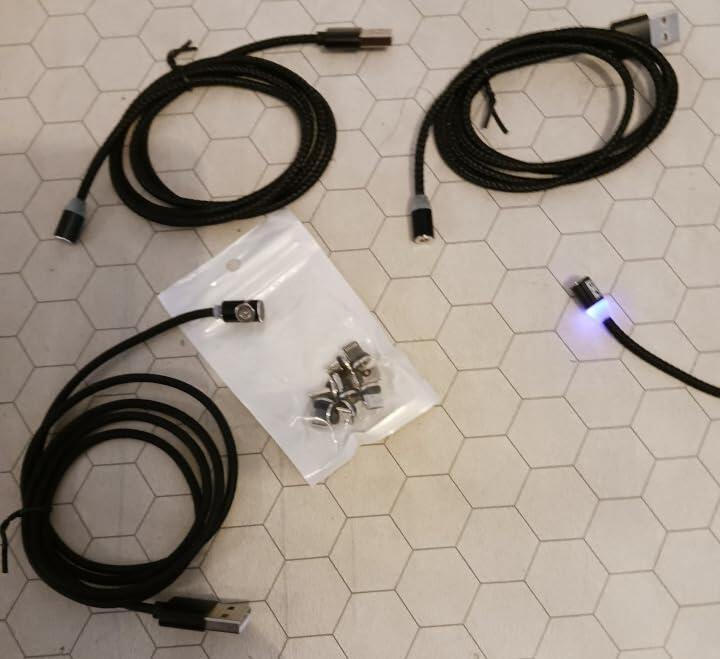
BIG+ magnetic charging cables are engineered with premium materials, reinforced construction and modern USB Power Delivery support, making them suitable for smartphones, tablets, laptops and future USB-C devices.
Common USB-C Mistakes
Avoid these common mistakes when buying or using USB-C accessories:
- Assuming every USB-C cable supports fast charging.
- Buying a cable based only on appearance.
- Using low-quality chargers with premium cables.
- Ignoring maximum wattage ratings.
- Purchasing cables without E-Marker support for laptops.
- Replacing quality cables with cheaper alternatives.
Understanding these differences helps ensure your devices charge safely, efficiently and at their intended speed.
Common USB-C Myths
Myth: Every USB-C cable is identical.
Fact: USB-C describes the connector shape, not the cable's capabilities. Different cables support different charging speeds, data transfer rates and video output.
Myth: A higher wattage cable damages smaller devices.
Fact: USB Power Delivery intelligently negotiates power. A 240W cable can safely charge a smartphone because the phone only draws the power it requires.
Myth: Expensive cables only cost more because of branding.
Fact: Premium cables often include better conductors, reinforced construction, E-Marker chips, improved insulation and stricter quality control, resulting in better reliability and a longer service life.
Myth: USB-C always means fast data transfer.
Fact: Some USB-C cables only support charging. Others support USB 2.0, USB 3.2, USB4 or Thunderbolt with dramatically different data speeds.
Frequently Asked Questions
Can I use one USB-C cable for my phone and laptop?
Yes, provided the cable supports the laptop's charging requirements. A 100W or 240W USB-C cable offers the greatest compatibility across phones, tablets and laptops.
Do all USB-C cables support fast charging?
No. Fast charging depends on the cable, charger and device all supporting compatible charging standards such as USB Power Delivery.
What is the difference between a 60W, 100W and 240W cable?
The difference is the maximum power the cable is designed to carry safely. Higher-rated cables are suitable for more demanding devices such as laptops and gaming systems.
Is a 240W cable worth buying?
If you own multiple USB-C devices or plan to upgrade your laptop in the future, a 240W cable provides excellent flexibility and helps future-proof your charging setup.
Can USB-C transfer video?
Yes. Many USB-C devices support DisplayPort Alt Mode or USB4, allowing a compatible cable to carry video, audio and data through a single connection.
What does an E-Marker chip do?
An E-Marker chip identifies a cable's capabilities and allows compatible devices to safely negotiate higher charging power. It is required for many high-power USB-C cables.
Will a better cable charge my phone faster?
Only if your existing cable is limiting performance. Fast charging also depends on your charger and the charging capability of your phone.
Final Thoughts
USB-C has become the universal connector for modern electronics, but choosing the right cable is about much more than selecting a connector that fits your device.
Charging speed, safety, durability and compatibility all depend on the quality of the cable and whether it supports the technologies your devices require.
Understanding USB Power Delivery, E-Marker chips and cable power ratings helps you make informed purchasing decisions while protecting your investment in expensive electronics.
Whether you're charging a smartphone, tablet, MacBook, gaming laptop or portable monitor, selecting a high-quality USB-C cable ensures reliable performance today and greater compatibility with tomorrow's devices.
Discover the BIG+ USB-C Collection
Looking for reliable USB-C charging accessories?
BIG+ designs premium charging solutions engineered for everyday durability, fast charging and long-term performance.
✓ USB Power Delivery Support
✓ Premium Silicone & Braided Cables
✓ Magnetic Charging Solutions
✓ USB-C Laptop Charging up to 240W
✓ Designed for Modern USB-C Devices
Related Articles
- What Is a Magnetic Charging Cable?
- How Fast Charging Really Works
- How to Choose the Best USB-C Cable
- USB-C vs Lightning: What's the Difference?
Article reviewed: July 2026
This guide has been prepared by the BIG+ team using published USB-IF specifications, manufacturer documentation and practical testing of USB-C charging accessories.
Information is reviewed periodically to reflect changes in USB standards and modern consumer devices.
0 comments